Yale University Science Libraries
 Science Libraries      Research Tools  /   Services  /   Beginning Research   /   About the Libraries
Science Libraries News
News also available on the Science Library Blog and on Twitter
Twitter Updates

    Extended SMS Reference hours.

    Text Messaging reference is now available 9-5 Mon-Fri!
    Get answers by text message http://www.library.yale.edu/science/textmsg.html

    SciFinder Scholar

    New versions of SciFinder Scholar for PCs and Mac OS 10.5 are now available. Download at http://www.library.yale.edu/science/help/scifinder/sfsdownload.html


    E-Reserves News Update!

    E-reservesArticles and book chapters can be made available electronically:
    Submit online:   http://resources.library.yale.edu/electronic reserves 
    or Email to kslcirc@yale.edu  with the information.  Be sure to include course information, as well as title, call number, author, volume or chapter number, or pages, as appropriate.

    Previous semester lists
    We are now able to send you a previous semester’s list via email!  Please request through kslcirc@yale.edu.  You can mark them and return them to kslcirc@yale.edu

    If you use Classes V2
    :
     the Course Reserves tool displays information about materials on reserve in Orbis.  To add this to your course site menu bar:  Site Info / Edit tools / check box next to Course Reserves tool / Continue / Finish

    Questions? 
    Please contact: Mary Holder at 432-9627 (mary.holder@yale.edu) or Marybeth Bean at 432-3443 (marybeth.bean@yale.edu)


    Kline Science Library will be closed for the evening of Thursday October 9 after 4:30pm.
    Hours for just that day, October 9, 2008 for the Kline Science Library will be 8:30am - 5:00 pm.

    Exhibit - Glass Blowing at Yale.

    The exhibit “Glass Blowing at Yale,” on display in Kline Science Library through Oct. 2008 features the work of Daryl Smith, Senior Scientific Glassblower at Yale. This Exhibit is viewable on Flickr and Facebook.


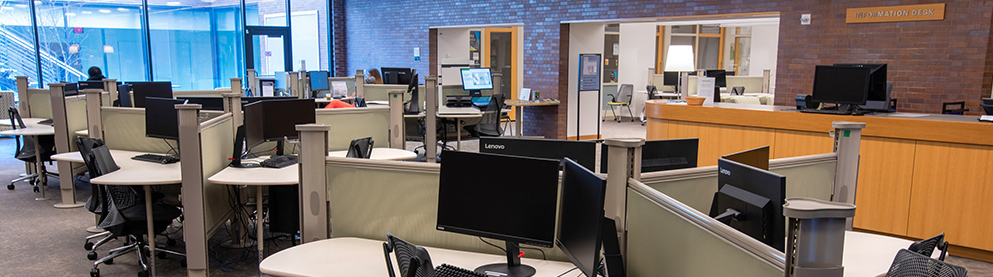
    New Circulation Desk

    We’re excited by the arrival of our long awaited circulation desk. Please pardon our appearance and attendant noise as the desk is being constructed. All services should be available during the construction.
    Thanks for your patience.


    Temporary changes for accessing Kline Science Library:

    Now that the weather has improved, construction work continues on the concrete platform for fire engine egress here at Kline Biology Tower.  The removal of the pedestrian bridge has also begun.  This means that access to the building (and thus the Kline Science Library) from Prospect Street has again changed:

    Brief disruption of access to the building (and thus the Kline Science Library) from Prospect Street on Thursday May 1, and on one good weather morning the week of May 5-9, yet to be determined. During closure please access the library from the following routes:

    From Prospect St.
    - Walk up the driveway between Sloane Physics Lab and Sterling Chemistry Lab
    - Follow the detour signs which will lead you around the side of Sterling Chemistry Lab and onto the quad
    - From the quad the library may be accessed from the front doors of Kline Biology Tower until 4:15 pm
    - After 4:15 pm on weekdays, and all hours on weekends, continue past the front of Kline Biology Tower, bearing right around the building, taking the stairs up and across the portico, and down to the Prospect St entrance to the library.
    - Anyone unsure of how to proceed, please call 432-3439 for assistance.

    Alternate access exists from Sachem St:
    - Take the path up Sachem Hill (path is directly across from Hillhouse/Sachem St. intersection)
    - Weekdays before 4:15 pm access the library from the front of the building
    - After 4:15 pm and on weekends, bear to your left around the building, taking the stairs up and across the portico, and down to the Prospect St entrance to the library.

    Questions? Please don't hesitate to call our desk at 432-3439 or email science.reference@yale.edu


    Normal access has been restored to SciFinder Scholar.

    For security reasons there will be a temporary change in off campus access to SciFinder Scholar:

    Effective 3/6/2008-3/19/2008 SciFinder Scholar will be unavailable from off-campus between the hours of 12:00am (midnight) and 6:00am. 

    On campus access to SciFinder Scholar will be unaffected by this change and will continue to be available 24/7 during this time as always.

    If you have any questions, comments or concerns please contact Joe Murphy, Chemistry Librarian (joseph.murphy@yale.edu or 2-9519).


    March 12, 2008

    Science Imprint
    Yale University Science Libraries Newsletter

    Issue No. 45
    March 2008

    Download a PDF version at http://www.library.yale.edu/science/scienceimprintNWSLTR45.pdf

    Managing Bibliographies with EndNote Web
    A Web version of the popular EndNote bibliography manager is available to members of the Yale community at no charge. You can sign up for an account at http://www.myendnoteweb.com. A guide to getting started with EndNote Web is available at http://www.library.yale.edu/endnote/web.html.

    The software version of EndNote has long been popular with researchers who need to collect, organize, and manage references for use in writing papers and creating bibliographies. The new Web version provides these same basic features with a streamlined interface.

    EndNote Web integrates with a number of library resources to build your personal collection of references. You can direct export search results from ISI Web of Science, Biosis, and Zoological Record and perform online searches of PubMed and Orbis, the Yale Library Catalog. References from many other databases can be imported to your personal collection.

    As a Web-based resource, EndNote Web is available from anywhere at anytime. Once registered, you can access your database for up to three months without being connected to the Yale network, i.e., when traveling. It provides a collaborative environment where users can share folders of references. When connected to the Yale network, the “Yale Links” button appears next to every reference in your personal database. Click on the link to locate online full text, if available. You can transfer references back and forth between the EndNote software and Web versions. This transfer process is simplified for users of software versions 10.0.2 and higher. You can download a free toolbar for Microsoft Word in order to cite references.

    EndNote Web does not provide some of the advanced features of the software version. For example, you cannot link to PDF files or customize output styles. Many literature databases currently do not provide direct export of records to EndNote Web.

    New users may also want to consider RefWorks, a full featured, Web-based bibliography manager available to the Yale community without charge. See http://www.library.yale.edu/cite for more information and a comparison of EndNote, EndNote Web, and RefWorks. Please contact Andy Shimp at 2-7460 or andy.shimp@yale.edu with questions.

    Text a Science Librarian!

    The Yale science libraries now offer a text messaging service. Add us to your speed-dial or favorites list to reach a librarian at the touch of a button. The service is available Monday through Friday from 12-5 pm. For the telephone number, please see http://www.library.yale.edu/science/textmsg.html. Please include your “yale.edu” email address in your text message.

    Text messaging is ideal for science faculty, students, and staff to ask simple questions that require speedy, brief answers. If longer responses are necessary, an email may be sent to the email address you provide. If a message is received during off hours, a response will be sent by the following business day. Please note that text messaging is offered free of charge by the library, but cell phone providers may charge for sent and received text messages.

    SimplyMap: Web-Based Demographic Mapping

    SimplyMap is a Web-based mapping application that lets users quickly create professional-quality thematic maps and reports using powerful demographic, business, and marketing data. SimplyMap turns complex data into valuable information that is easily accessed through an innovative and user-friendly interface. Of particular interest to Yale GIS users is the ability to prepare and download shapefiles of demographic data for use in ArcGIS Spatial Analysis Software.

    With SimplyMap, you can:
    •             Access thousands of demographic, business, and marketing data variables.
    •             Develop interactive thematic maps and export high-resolution images to word processing or presentation software.
    •             Select, sort, and compare data across multiple locations and build custom reports that can be exported to a spreadsheet for additional functionality.
    •             Explore historical census data to understand how regions change over time and use estimates and projections to analyze current and future trends.
    •             Make informed personal and business-related decisions. Questions like “what are the social and demographic characteristics of my neighborhood?” and “where should I locate my retail store?” are quickly answered with SimplyMap.
    •             Combine locations and search for areas based on specific criteria.

    To use SimplyMap, create a personal workspace at http://simplymap.com/main.php (Note: you must access the page from the Yale network.)

    Teaching with Technology Tuesdays

    The Collaborative Learning Center has introduced a weekly program for those teaching at Yale. Sessions are held every Tuesday from 11 a.m. to 12 p.m. in the Bass Library room L01 (lower level of the former Cross Campus Library.) The workshops feature 30 minutes of instruction followed by coffee and discussion. For additional information, please see http://clc.yale.edu.

    March
    18           Interactive Timelines
    25           VoiceThread

    April
    01           Zotero
    08           Class Blogs
    15           Custom Google Maps
    22           Digital Primary Sources in the Library
    29           Second Life


    Spring Break 2008 Hours!

    Kline Science Library:
    3/8-3/9, Sat-Sun, Closed
    3/10-3/14, Mon-Fri, 8:30a.m - 4:45pm.
    3/15-3/16, Sat-Sun, Closed
    3/17-3/20, Mon-Thurs, 8:30 a.m. - 4:45 p.m.
    3/21, Fri, Good Friday (Closed)
    3/22, Sat, 10:00 a.m. - 4:45 p.m.
    3/23, Sun, noon - 7:45 p.m. (Easter Sunday)

    Chemistry Library
    closed 3/21, - Good Friday.
    Engineering and Applied science library:
    3/8-3/9, Sat-Sun, Closed
    3/10-3/14, Mon-Fri, 8:30 a.m. - 4:45 p.m.
    3/15-3/16, Sat-Sun, Closed
    3/17-3/20, Mon-Thurs, 8:30 a.m. - 4:45 p.m.
    3/21, Fri, Good Friday (Closed)
    22, Sat, Closed
    Forestry and environmental studies library:
    3/8-3/9, Sat-Sun, Closed
    3/10-3/14, Mon-Fri, 8:30 a.m. - 5:00 p.m.
    3/15-3/16, Sat-Sun, Closed
    3/17-3/20, Mon-Thurs, 8:30 a.m. - 5:00 p.m.
    3/21-3/23, Fri-Sun, Closed
    Closed 3/21 Good friday
    Geology Library:
    3/21, Fri, Closed (Good Friday)

    Mathematics Library:

    Closed 3/21, Good Friday
    See http://www.library.yale.edu/hours for more information.
    January 31, 2008

    Science Imprint
    Yale University Science Libraries Newsletter

    Issue No. 44
    Novemeber 2007

    Instant Messaging Reference Service is Here!
    Science librarians are now answering questions through Instant Messaging (IM). No longer is it necessary to come into the library or even to send an email to ask a question: you can now chat in real time with a librarian from your office, home, lab, or anywhere!

    Send an IM to the screen name yalescilib through whichever IM service you use. We have the same IM screen name for each of the major Instant Messaging services: AIM, Yahoo, MSN, Meebo, and GoogleTalk.
     
    If you don't have an IM account you can still reach us through our "widget" chat window at http://www.library.yale.edu/science/services/im.html. This widget is a direct connection to the service from our webpage.

    IM widget

    Reference librarians staff this IM service weekdays from noon to 5:00 p.m.  For assistance during evening hours, use the general library-wide IM reference service at http://www.library.yale.edu/reference/asklive or send an email to science.reference@yale.edu.

    Add yalescilib to your buddy list, and we will see you online!

    ChemBioDraw
    Yale is funding an annual site license for access to ChemBioDraw. Use the ChemBioDraw product to draw accurate, chemically-aware structures for publication-quality graphics and to prepare database queries and data entry for modeling and other programs that require an electronic description of molecules and reactions. This software allows you to efficiently keep track of your work, gain a deeper understanding of your data, correlate biological activity with chemical structures, and produce scientific reports professionally and efficiently.

    To download ChemBioDraw Ultra, go to: http://scistore.com/sitelicense.cfm?sid=411. New users will need to register for an account.

    EndNote Web
    A Web version of the popular EndNote bibliography manager is available to members of the Yale community at no charge. A guide to getting started with EndNote Web is available at http://www.library.yale.edu/endnote/web.html. The next issue of Science Imprint will provide more details about this new online tool that is used for managing references and creating bibliographies.

    You can sign up for a personal EndNote Web account at http://www.myendnoteweb.com.

    BuildingGreen Suite
    The BuildingGreen Suite of online tools provides information on green design. This online resource features comprehensive, practical information on a wide range of topics related to sustainable building -- from energy efficiency and recycled-content materials to land-use planning and indoor air quality.

    BuildingGreen Suite integrates online versions of GreenSpec, Environmental Building News, and a database of more than 160 high-performance building case studies.

    Access BuildingGreen Suite from the Quick Link for “Online Databases."

    Bass Library Opening
    The former Cross Campus Library has reopened after having been completely redesigned. Named to honor the generosity of Anne T. and Robert M. Bass ’71, the library features new group study rooms, individual study carrels, and custom designed furnishings. The Bass Library houses intensive use and reserve collections needed by readers on a daily basis. It will also be home to the new Collaborative Learning Center, an evolving partnership between the Library, the Instructional Technology Group, the McDougal Graduate Teaching Center, the Yale Center for Language Study, and Yale ITS. The new library features a café offering an organic and locally-sourced menu.

    The Bass Library is located beneath the Cross Campus lawn in front of Sterling Memorial Library. The café entrance is at Wall Street between William L. Harkness Hall and Berkeley College. The library is open extended hours Sunday through Thursday until 1:45 a.m.

    Foundation Directory
    The Foundation Directory Online is a resource for identifying potential sources for grant funding. It comprises two searchable databases. The foundation database, available in print as The Foundation Directory, houses a collection of data on the entire universe of over 76,000 foundations, corporate giving programs, and grant making public charities in the U.S. The grants database, available in print as Foundation Grants Index, is a collection of more than 350,000 grants that have been awarded by foundations in the United States. Both databases are searchable and are designed to give researchers access to information on each foundation's funding interests and giving history.
    Access the Foundation Directory Online from the Quick Link for “Online Databases” at http://www.library.yale.edu/science.


    November 5, 2007

    Text Messaging Reference now available!

    You can now reach the Science Libraries using text messaging.

    Text messaging is ideal for answering simple questions that require brief answers. If longer responses are necessary an email may be sent to an email address you provide. For in-depth questions, see Ask a Reference Question.

    The phone number is posted on the following Text Messaging information page, which is only available to validated Yale students, staff, and faculty.

    Hours- Text messages will be responded to as soon as possible. Staff are available to answer text messages from 12:00 pm to 5:00 pm on weekdays. If a message is received off hours, a response will be sent by the following business day. If you do not receive a response as soon as you would like, try our IM service or call us at 432-3439. See other options at Ask a Reference Question. A Library-wide Instant Messaging reference service is available for longer hours.

    NOTE: Text messaging reference is a service provided by Yale Science Libraries free of charge. Cell phone service providers may charge for sent or received text messages. By sending a text message to this Library service, you give permission to Yale Science Libraries to reply to your text message.

    Please include your yale.edu email address in your text message.


    November 1, 2007

    LibX Yale Library Edition Firefox extension

    LibX Yale Library Edition is a Firefox extension that provides direct access to Orbis (the Library OPAC) and other library resources.

    Within your browser page, you can highlight and right-click words or terms to automatically search Orbis.

    LibX also places cues in web pages you visit if your library has resources related to that page. Whenever you see the cue (a small Y), click on the link to look at what the Library has to offer. For instance, book pages at Amazon or Barnes & Noble will contain cues that link to the book's entry in Orbis. Cues are displayed at Google, Yahoo! Search, the NY Times Book Review, and other pages

    Quick full text access to journal articles: LibX uses Google Scholar to search for articles and directs the user to the electronic copy subscribed to by your Library. Select a citation, then drag-and-drop it onto the Scholar button on the toolbar. You can use this feature even from inside a PDF file, which makes retrieving papers referenced in a PDF file a snap.

    Obtain the extension for Firefox from http://libx.org/editions/download.php?edition=4B5E8B70

    ALTERNATIVE: For those not wanting to "clutter" their web browser space, you can download Search Engine Plugins that will perform the same "highlight and right click" options.


    September 11, 2007

    Instant Message to a Science Librarian

    Chat with a Science Librarian from home, your office, or anywhere! Instant Messaging (IM) is now available from the Science Libraries.

    Contact the screen name yalescilib through any of the major Instant Messaging services – AIM, Yahoo, MSN, GoogleTalk.

    Service is available 12:00 noon to 5:00 p.m. on weekdays.

    Don't have an IM account? You can reach us through our "widget" chat window at http://www.library.yale.edu/science/services/im.html


    August 3, 2007

    Library drops BioMed Central's Open Access membership

    After careful consideration, the Cushing/Whitney Medical and Kline Science Libraries have decided to end their support for BioMed Central's Open Access publishing effort. The libraries previously covered 100% of the author article charges which allowed these papers to be made freely available worldwide via the Internet at time of publication. This experiment in Open Access publishing has proved unsustainable. The libraries' support will continue for all Yale-authored articles currently in submission to BioMed Central as of July 27, 2007.

    The libraries’ BioMedCentral membership represented an opportunity to test the technical feasibility and the business model of this OA publisher. While the technology proved acceptable, the business model failed to provide a viable long-term revenue base built upon logical and scalable options. Instead, BioMedCentral has asked libraries for larger and larger contributions to subsidize their activities. Starting with 2005, BioMed Central article charges cost the libraries $4,658, comparable to single biomedicine journal subscription. The cost of article charges for 2006 then jumped to $31,625. The article charges have continued to soar in 2007 with the libraries charged $29,635 through June 2007, with $34,965 in potential additional article charges in submission.

    As we deal with unprecedented increases in electronic resources, we have had to make hard choices about which resources to keep. At this point we can no longer afford to support the BioMedCentral model.

    We believe in the widest possible access to scholarly research supported by workable business models and should BioMedCentral develop a viable economic model which allows them to more equitably share costs across all interested stakeholders, we would consider renewing our financial support.

    Please feel free to contact us if you have any questions or concerns about this policy.

    Ann Okerson, Associate University Librarian for Collections, Yale University Library
    R. Kenny Marone, Director, Medical Library
    David Stern, Director, Science Libraries


    August 1, 2007

    SciFinder Scholar 2007

    The new improved SciFinder Scholar 2007 for both PCs and Mac OS X (10.2 and higher) is now available.

    The software is available from the usual library download site

    The new features include:
    * Combine answer sets.
    * Launch a new structure search or refine your current structure search by clicking on any structure in an answer set.
    * Categorize: sort and evaluate information in your answer sets by creating a histogram for easy analysis.

    For more information see the SciFinder Info Page.


    Issue No. 43
    March 2007
    Science Imprint
    Yale University Science Libraries Newsletter

    Information Sources for Rankings

    Have you ever wondered who the most-cited authors in your field are or how citings to research papers compare in different fields at Yale? Would you like to read some of the currently most cited articles or see how Yale compares with other schools in its citation impact for a specific scientific field? Would you like to be able to look up the top cited journals in a particular field? The Library subscribes to several information sources which provide answers to these questions. Most are online accessible from ISI Web of Knowledge at http://www.isiknowledge.com.

    ISI Highly Cited

    Covering the life sciences, physical sciences, and engineering, ISI Highly Cited is a source identifying the most cited authors from modern times. In this source you can search or browse by personal name, by institution, by country, or by category (field).

    Essential Science Indicators (ESI)

    ESI is a tool used to rank research performance for the last ten years. You can search or browse by scientist, institution, country, or journal. Look at this source to view field rankings for Yale (fields do not exactly correspond to Yale departments). For example, by looking at the data from Jan. 1, 1996-Oct. 31, 2006 and sorting by citations received per paper, molecular biology and genetics comes out 1st with 47.24 citations per paper. Immunology is in 2nd place during this time, with 42.78 citations received per paper. You can also use ESI to compare institutions. Yale's citations received per paper in engineering is 13.55. (Compare this to Harvard's 11.69). Immunology also compares favorably for Yale (42.78 citations received per Yale paper versus Harvard's 34.64). This tool also provides bar graphs of citation data in five year intervals. On the home page, there's a link to a list of highly cited papers from the last ten years and hot papers of the last two years.

    Science Watch

    Science Watch is currently available online for Sept.1997-Jan./Feb.2006. The current year is available in paper format at Kline Science Library. This publication provides top ten rankings of the leading 100 U.S. research universities based on citation impact for major science and social science fields. See Jan./Feb. 2007 and Nov./Dec. 2006 for the most current rankings. Several Yale rankings will be shared here: for 2001-2005, in citation impact (citations received per paper) Yale was ranked 1st in Engineering, 2nd in Immunology, 4th in Plant and Animal Science, 5th in Molecular Biology and Genetics.

    Journal Citation Reports (JCR)

    JCR is also an ISI product available at http://www.isiknowledge.com. This source may be used to see how journals compare with each other. You can search on the name of a journal or browse all journal entries in a specific field category. Lists are currently based on 2005 data with data from 1999-2004 also accessible. Journals may be compared by impact factor (citation frequency), immediacy index (average number of times an article is cited in the year published, indicating how quickly articles in the journal are cited), and by other factors.

    Additional Ranking Sources

    Many of us are familiar with U.S. News & World Report's annual rankings. In 1995 the National Research Council published a respected report titled "Research-Doctorate Programs in the United States: continuity and change" (available at KSL, FESL, Geology, and SML). Updated data is expected in late 2007 and 2008. Recently a new ranking tool called The Faculty Scholarly Productivity Index has been publicized (See Chronicle of Higher Education Jan. 12, 2007, "New Standard for Measuring Doctoral Programs," a copy of the article is available at the KSL reference desk and online at http://chronicle.com/free/v53/i19/19a00801.htm.) This index ranks programs based on faculty productivity criteria including number of publications, article citations, grants, honors, and awards. Yale appeared in its Top Departments list in four fields (2005 data): bioinformatics, forestry, immunology, and neuroscience. You can search the index at http://chronicle.com/stats/productivity.

    Beilstein & Gmelin DiscoveryGate

    The Beilstein and Gmelin databases are now available online using the DiscoveryGate interface at https://www.discoverygate.com/.

    The DiscoveryGate information system can be used to search both the Beilstein (organic) and Gmelin (inorganic) databases. It provides access to more than six million structures and their associated chemical and physical properties, preparative methods, chemical behavior, and literature references (covering the literature from 1779 to the present).

    Substructure query types can include bond and stereochemical descriptors, atom types, and generic groups (e.g. acyclics, heterocycles, etc.).

    The fact editor is a sophisticated data navigator that allows posing simple or elaborate queries. Search operators (and, or, not) enable the scientist to combine queries, and to manipulate results lists.

    DiscoveryGate displays structures, and as many data fields as the user wishes to see. Hypertext links let you jump directly to the record of the highlighted compound, allowing the user to navigate along synthesis paths.

    New Staff

    Joe Murphy, Science Librarian
    Joe brings a B.S. in physics and an MLS from the University of Hawaii. His responsibilities will include reference desk coverage, virtual reference, instruction coordination for the science libraries, physics collection development, exchange and gift collection development, and preservation coordination. Joe can be reached at joseph.murphy@yale.edu or 2-9519.

    Paul Civitelli, Engineering Library Assistant
    Paul will be handling acquisitions and binding. He is a recent graduate of Southern Connecticut State University. Paul can be reached at 2-2928 or paul.civitelli@yale.edu.

    Fei Huang, FES Library Assistant
    Fei will be handling journal check-in and binding, book ordering and receiving, and, most importantly, she will be working on collection transfers while the F&ES Library prepares for a move in Fall 2008. Fei can be reached at 2-5130 or at at fei.huang@yale.edu.


    Issue No. 42
    November 2006
    Science Imprint
    Yale University Science Libraries Newsletter

    Science Libraries Journal Analysis Update

    In January of 2006 the science libraries began an analysis of paper journals with the objective of moving to electronic-only access for all possible titles. Reducing paper will allow us to decrease expenditures, more accurately monitor usage, and reallocate staff to new online support tasks thereby reducing long-standing backlogs.

    To analyze paper usage we took the following actions. Paper copies of many titles were removed from the public area and stored in staff areas. We placed a note on display shelves: "This journal is available online. See the online journal list for current materials. For this test period, current issues are held in staff areas for special circumstances. Please see staff for access." The following note was displayed in Orbis library catalog records: "Current issues are held in staff areas for special circumstances. Please see staff for access."

    We have reviewed the feedback received to date. We received very few comments about the process through the first nine months. Findings include:

    • One title was identified that required paper as a supplement to the online. While the online version provided better access and searching, we will retain paper to facilitate simultaneous use of three side-by-side color images.
    • We will keep print copies for a few popular and trade journals that were identified as browsing material.
    • Several users were concerned about the loss of a browsable paper collection. We addressed these concerns by describing options for keyword searches producing automatic alerts, email delivery of table-of-contents listings, and RSS feeds for new journal issues.
    • A few respondents expressed concerns about the permanence of online content. We maintain contract guarantees for access to content and archiving to insure that digital content is preserved.
    As a result of our analysis we made the decision to continue print subscriptions in the small number of cases where online coverage was not adequate. We will reduce our paper subscriptions to the minimal number necessary to provide adequate coverage. A list of the continuing paper titles is posted at: http://www.library.yale.edu/science/services/paperjournals.html. Please feel free to send additional comments from this same web page.

    Two New Environmental Studies Databases

    Environment Complete
    Environment Complete is a new database for identifying research articles in the broad areas of environmental policy, natural resources, and urban planning. The database covers more than 1,600 journals, magazines, and 100 selected monographs, including 600 full text titles. Coverage dates back to the 1950's for some titles.

    Wildlife & Ecology Studies Worldwide
    Wildlife & Ecology Studies Worldwide is the world's largest index to literature on wild mammals, birds, reptiles, and amphibians. The databases in this collection offer a global perspective and together cover all aspects of wildlife and wildlife management. Coverage dates from 1935 (and earlier) to present.

    Access these databases from the "Databases & Article Searching" link at http://www.library.yale.edu.

    SPIE Digital Library: New Full Text Collection

    The SPIE Digital Library is an extensive resource for research on optics and photonics, providing full text access to technical papers from journals and conference proceedings published by SPIE, the International Society for Optical Engineering. Yale's subscription includes papers in electronic imaging and processing; micro- and nano-technologies; and optics and electro-optics from 1990 to the present. Some papers indicated with a lock are not included in Yale's subscription. Access the SPIE Digital Library at http://www.spiedl.org.

    Librarian Support in Classes*v2

    We are pleased to offer instructional support through the Classes*v2 course management system. Classes*v2 features a "Librarian" role, which librarians can use to post subject and assignment specific library resources, links to online books, eReserve readings, and other subject- and assignment-specific library resources.

    If you are a course instructor interested in learning more about how we can align the library and its collections with your Classes*v2 site, please contact one of the science librarians.

    Collaborative Bibliographies with RefWorks

    RefWorks is a Web-based bibliography manager that allows you to create your own personal database of references. Once you have added references to your database, you can use them in writing papers to automatically format a bibliography in a variety of output styles such as those for Science or Nature. Best of all, the library funds access to RefWorks so it is available without charge.

    Since RefWorks is available on the Web it is perfect for collaborative projects. You can share passwords and create multiple accounts so that a group of people can build a collection of references and share them. Each reference includes separate fields for up to five users to include their own comments and notes about that source.

    RefWorks also offers the ability to create a Web page for your references. Using the RefShare feature you can create a Web link to share with others. Users of your reference collection will be able to download and print your references, and you can choose to allow people to post comments about a reference to the Web.

    To create an account and for additional information go to: http://www.library.yale.edu/cite/refworks.html.


    October 25, 2006

    Beilstein/Gmelin: DiscoveryGate interface

    NOTE: only works with IE and Safari. NOT MOZILLA FIREFOX.

    The Yale Libraries have just begun an evaluation of the DiscoveryGate interface to the Beilstein and Gmelin databases. The vendor is hoping to move us off the current CrossFire interface over time. The trial will last through Nov. 23rd.

    The advantages to this interface are: (1) web based interface, requiring only a simple download plug-in, and (2) Mac compatibility.

    Databases available during this trial period are:

    • CrossFire Beilstein
    • CrossFire Gmelin
    • MDL® Available Chemicals Directory
    • MDL® Screening Compounds Directory
    • MDL® Reference Library of Synthetic Methodology
    • MDL® Solid-Phase Organic Reactions
    • ORGSYN Database
    • Comprehensive Organic Functional Group Transformations
    • Comprehensive Asymmetric Catalysis
    • MDL® Comprehensive Medicinal Chemistry
    • MDL® Drug Data Report
    • MDL® Metabolite Database
    • MDL® Toxicity Database
    • ChemInform Reaction Library
    • Current Synthetic Methodology
    • Derwent Journal of Synthetic Methods
    • National Cancer Institute Database

    *******************************************************************************

    To set up access:
    1. Download PC or MAC installer at https://www.discoverygate.com/
    2. Once installed, return to https://www.discoverygate.com and select "Home" on the header toolbar.
    3. From that page, you can open any of the three applications show--Search Databases, Integrated Major Reference Works and xPharm

    Please send comments to joseph.murphy@yale.edu


    October 18, 2006

    Reducing Paper Journals

    After use and faculty ranking analysis the following titles will remain in paper, as they are either necessary in paper format or unavailable in an online version. (Additional titles may be added after reviewing the few remaining direct publisher orders.)

    REMINDER: Our list of online journals is now the best tool to locate most journals.


    August 30, 2006

    Color Copier in Kline Science Library

    There is now a color copier located in the lobby of the Kline Science Library. The machine accepts copy cards -- NO CASH. (You may purchase a copy card with a Yale charge account at the Circulation Desk.)

    Cost:
    8.5 X 11 sheet is $1 per page
    11 X 17 sheet is $2 per page


    August 30, 2006

    Revised Kline Science Library Hours

    The Kline Science Library will have new hours beginning Tuesday, September 5th.

    KSL hours:

    Mon - Thurs 8:30 a.m. - 7:45 p.m.
    Fri 8:30 a.m. - 4:45 p.m.
    Sat 10:00 a.m. - 6:45 p.m.
    Sun noon. - 7:45 p.m.


    July 31, 2006

    Zoological Record within Web of Science platform

    Zoological Record, the premier journal index for zoological information such as new discoveries and population studies, is now available for searching within Web of Knowledge platform. This is the same search interface used for the Web of Science (Science Citation Index) interdisciplinary journal index.

    With this new interface, you can now find Citations to zoological articles based upon specific articles, authors, and keywords. It is possible to follow research fronts from seminal articles in the field.

    From the full record, located by selecting an individual article title, select the option on the bottom right labelled "View Citations" in order to discover who has cited the article since it was published.

    Link to this new service option through the URL http://resources.library.yale.edu/online/dbsbysubjecthfxml_
    info.asp?searchfor=science&lookfor=YUL02978


    June 20, 2006

    SciFinder Scholar 2006 for Mac

    The new improved SciFinder Scholar 2006 for Mac OS X (10.2 and higher) is now available. You do not need to upgrade; however, there are improved options (see below).

    The software is available from the usual library web site -- http://www.library.yale.edu/science/help/scifinder/sfsdownload.html

    You will NOT need to reload the site preferences file. The preferences are now embedded into the zip file.

    The new features, which emulate those of the latest PC version, include:

    • Structure Similarity Searching
    • New structure and reaction query tools: Variable Attachment Position tool and Repeating Group tool
    • Easy access to additional reaction information
    • Enhanced multi-step reaction display
    • New quick look-up of research references
    • Duplicate detection/removal…and much more!


    Reducing Paper Journals

    After use and faculty ranking analysis the titles listed on the link below will remain in paper, as they are either necessary in paper format or unavailable in an online version. (Additional titles may be added after reviewing the few remaining direct publisher orders.)

    REMINDER: Our list of online journals is now the best tool to locate most journals. Our list of continuing paper titles.


    June 20, 2006

    Instruction Tutorials

    The Science Libraries have begun creating short video tutorials to help explain and demonstrate information discovery and manipulation tools and techniques. This suite of tutorials is available for point-of-need exploration.

    These tutorials are found at: http://www.library.yale.edu/science/help/tutorials.html


    Issue No. 41
    April 2006
    Science Imprint
    Yale University Science Libraries Newsletter

    Keep Up to Date with AutoAlerts

    Are you finding it difficult to keep up to date with the latest research in your field? Are you concerned about missing new research that may impact your work? Now you can automatically receive regular email notices of newly published articles customized to your interests!

    What is an AutoAlert?
    An AutoAlert, also known as SDI or Selective Dissemination of Information, is a saved search that runs automatically each time new data is added to a database of research literature. Your AutoAlert profile retrieves any new article citations on a topic of interest and emails them to you without any effort on your part.

    Why would I want to set up an AutoAlert?
    AutoAlert searches allow you to keep up to date on the latest published research on a topic or author of interest to you. Since search results are delivered to you automatically by email, it saves you time.

    What kind of information will I receive?
    You will receive citations and abstracts of newly published research papers on your topic or author. Web links allow you to go to the database record and to full text when available. Depending on the database, search results can be delivered to you on a daily, weekly, or monthly basis.

    What kind of searches can I use to create AutoAlerts?
    You can create AutoAlerts using keyword topics, journal names, or author names. In Web of Science you can create an alert to notify you when a newly published journal article has cited a paper of interest to you.

    What databases are available?
    AutoAlerts are available for research article databases in most subject areas. You can also create AutoAlerts in multidisciplinary databases like Scopus and ISI Web of Science (use the Current Contents interface for creating AutoAlerts with Web of Science data).

    How do I get started?
    Go to this web page: http://www.library.yale.edu/science/help/auto.html, select a research article database to create your alert, and follow the step-by-step directions.

    Multi-Database Searching Now Available

    You can now search multiple databases at one time using a new Multi-Database Searching option. The Multi-Database Search allows you to simultaneously search predefined clusters of databases in order to identify articles. You will see the total number of results found in each database, so you can use this search engine to identify the best databases for particular research topics.

    Once you do a search, you can choose to display the combined search results, or view results found in a single database. For searches that retrieve many records, the combined results will first display a subset of the total records found. You can display more results by clicking on the "combine more" link.

    You will find the link "Find Articles (multiple databases)" on all science libraries subject pages under Selected Resources. The complete list of subject clusters for the sciences is found on the left portion of the resulting screens. A direct link can be found at http://www.library.yale.edu/science/help/jrnl.html.

    Computing Reviews

    Computing Reviews helps you to manage the large amount of new material published in computer science by pointing you to the best new journal articles and books. The database compiles expert, unbiased critical reviews of current publications of note in computing. Computing Reviews aims to provide an overview of developments in computing to both specialists and generalists who wish to survey the field as a whole and identify quality materials.

    Access Computing Reviews at http://www.reviews.com.

    Ask!Live Online Reference Desk

    You can now submit a question and consult with library reference staff in real time with the Ask!Live service. Using Ask!Live you pass chat messages back and forth. It is also possible to browse Web pages together.

    Expanded hours are offered for the spring term: Monday - Thursday, noon-11:00 pm; Friday, noon-5:00 pm; and Sunday, 6:00 pm-11:00 pm. Access Ask!Live at http://www.library.yale.edu/reference.

    See and Hear Birds of North America Online

    Access to the pictures and sounds of more than 700 species of birds is now possible using the online Birds of North America. This collaboration between the Cornell Lab of Ornithology, the American Ornithologists' Union, and the Academy of Natural Sciences has an 18-volume print counterpart, completed in 2002. The online edition includes new additions since then.

    The database can be searched by bird name or by topic word and can also be browsed using either a taxonomic group or alphabetical name. Bibliographies are included in these life histories and the birds covered are those who nest in the U.S. or Canada. Many details of birds are included.

    Explore this resource for information such as the singing territorial male house wren, the call of a female rufous-sided towhee, or pictures of a cliff swallow at its nest or a female scarlet tanager bathing. An account of the rediscovery of the ivory-billed woodpecker is found in its video clips.

    At Kline Science Library a pair of headphones may be checked out and used at the assistive technology workstation in the reading room. Access Birds of North America at http://bna.birds.cornell.edu/BNA.


    April 4, 2006

    SciFinder Scholar fix for OS X ... but only for 10.2, 10.3, and 10.4

    We announce a fix for uploading the Mac version. There will be a newer more powerful version for the Mac within the next few months.

    The software is available from the usual library web site -- you will NOT need to reload the site preferences file. The preferences are now embedded into the zip file.

    The software is available from our web site: http://www.library.yale.edu/science/help/scifinder/sfsdownload.html

    Directions for Downloading the corrected SciFinder Scholar for Macintosh OS X (10.2, 10.3 and 10.4)

    1. Download the SciFinder Scholar SciFinder Scholar.app.zip file into the Applications folder on your Macintosh.

    2. Double-click "SciFinder Scholar.app.zip" (or SciFinder Scholar.zip) to extract the SciFinder Scholar Application Package to your Applications folder.

    Note: Admin level permissions may be needed to follow instructions 1 & 2. If you can not access the :Applications folder, use your Home Folder instead.

    3. You are now ready to run SciFinder Scholar by double clicking on the SciFinder Scholar icon.

    4. Optional: You may create an alias to the SciFinder Scholar to place on your Desktop or Dock.

    Contact Joe Murphy joseph.murphy@yale.edu or 2-9519.


    March 17, 2006

    Encyclopedia of Inorganic Chemistry online

    The Encyclopedia of Inorganic Chemistry presents articles in alphabetical order, but the content has been slightly reorganized to allow browsing of the following subject areas: Main Group Elements; Transition Metals and Coordination Chemistry; Organometallic Chemistry; Bioinorganic Chemistry; Solid State, Materials, Nanomaterials and Catalysis; and General Inorganic Chemistry, Theoretical and Computational Methods.

    This tool also provides keyword searching across all entries.

    Access the Encyclopedia of Inorganic Chemistry.


    Issue No. 40
    January 2006
    Science Imprint
    Yale University Science Libraries Newsletter

    Science Libraries Journal Analysis and Action Plan

    Dear research community,

    The library has two time-dependent concerns that require your input. The first is the issue of maintaining only essential paper journals when there are adequate and reliable electronic equivalents. The second concern is creating space for future growth through the transfer of selected low use materials to the off-site Library Shelving Facility (LSF).

    Reducing paper journals when adequate online equivalents exist

    Most researchers now rely on electronic journals for delivery of traditional published information. The use of paper journals in the Science Libraries is almost zero for titles with equivalent online access. We have greatly expanded our electronic journal collections in recent years. In addition, many publishers are digitizing previous years of their journals; often back to the first issues. We have purchased the rights to these back files for all available titles, thereby greatly expanding the depth of online collections available to the Yale community.

    The complete list of electronic journals can be found at http://sfx.library.yale.edu/sfx_local/azlist

    It is now time to reduce costs and staff workload by switching to electronic-only access for a large portion of our electronic journal subscriptions.

    Our intention is to move to electronic-only for almost all journals.

    Personal preference for paper will not be an adequate reason to retain paper in most cases.

    The Yale Science Libraries will be joining all other major science libraries around the world in migrating to online-only journals when possible.

    We will be spending the next year identifying those titles that must remain in paper for two reasons:

    1. Equivalent content is not available online
    2. Use is adversely affected (e.g., image quality, browsing of charts)

    Please contact us if you have a need for any specific paper journal. The comment form is located at
    http://www.library.yale.edu/science/services/paperjournals.html

    To address common concerns:

    · Researchers can print from the online journals
    · The online images are of equal quality to print
    · Online journals are released with less lag time
    · Titles are indexed in abstracting services -- and table-of-contents or keyword search results can be delivered via email
    · We can obtain PDF copies from other delivery companies in emergency situations

    We take archiving seriously, and we are confident that there are multiple repositories in the event of catastrophic failures.

    The review and decision process

    Starting in January, paper copies of many titles will be removed from the public area and stored in staff areas without being completely processed. In the event of problems with equivalent content or adverse use situations we will be able to document problem titles and supply the paper copies on demand.

    At the end of the 2006 we will review those titles requiring paper copies and reduce our paper subscriptions to the minimal number necessary to provide adequate coverage. Reducing paper will allow us to save a small amount of money, better monitor our actual use, and reallocate staff to new online support tasks thereby reducing long-standing backlogs.

    In order to notify users of this new procedure we will place the following note in Orbis records: "Current issues are held in staff areas for special circumstances. Please see staff for access."

    The following note will be placed on display shelves: "This journal is available online. See the online journal list for current materials. For this test period, current issues are held in staff areas for special circumstances. Please see staff for access."


    Science Imprint
    Yale University Science Libraries Newsletter
    Issue No. 39
    October 2005

    Bibliography Managers: A Comparison

    EndNote and RefWorks are bibliography managers that allow you to create your own personal database of references. Once you have added references to your database, you can use them in writing papers, and automatically format the paper and the bibliography in a variety of styles (i.e., Chicago, Science, Nature).

    Using either EndNote or RefWorks you can:

    • Create and organize a personal database of references - no more index cards to write out and organize. You can include your own notes and keywords.
    • Import or transfer references from a variety of journal article databases to your personal database of references.
    • Access Orbis, the Yale Library catalog, from within the bibliography manager program and automatically transfer references to your personal database.
    • Search your database of references.
    • Format bibliographies and manuscripts in seconds - this saves hours of typing time and decreases the number of errors in creating tedious bibliographies. If you make changes to your paper, you can quickly reformat your bibliography.

    Which one is best for me?
    Although both EndNote and RefWorks offer many of the same features, they do have differences that you may want to consider.

    EndNote features include:

    • Software-based product for Windows and Mac.
    • More citation styles than RefWorks and offers functionality to manage images and other documents stored on your computer.
    • Purchase for as little as $89 for the student version. You can try EndNote for free for 30 days by downloading a trial version at http://www.endnote.com.
    • Because it is a desktop application, EndNote is best for individual work.

    RefWorks features include:

    • Available for free to the Yale community courtesy of the Yale Library.
    • Available from anywhere you have a Web connection - no downloading or installation.
    • All upgrades are included - no charge for new features. Users automatically have access to the latest upgrades.
    • As a Web-based product, RefWorks is available to users across various platforms including Windows, Mac, and Unix.
    • Perfect for collaborative projects. You can create multiple accounts and share passwords so that a group of people can build and share references.
    • Share references over the Web. You can easily post a personal collection of references on the Web for others to view and download.

    Access RefWorks at http://www.refworks.com. First time users will need to register.

    You can transfer groups of references between EndNote and RefWorks, so you can choose to use both products. For additional information about EndNote and RefWorks see http://www.library.yale.edu/cite/.


    Scopus

    Scopus is a new database for locating articles in the scientific literature. It features an easy to use yet powerful search engine. The database covers the citations, abstracts, and references of articles from 14,200 publications, including approximately 750 conference proceedings and 531 e-only journals from 1966 to the present. Article records in Scopus can link to chemical compound and reaction information in the CrossFire Beilstein Database.

    Like ISI Web of Science, Scopus displays cited references for articles from 1996 to present. Scopus indexes more publications than Web of Science. Web of Science offers greater depth of coverage (from 1900).
    Search Scopus at http://www.scopus.com.


    Stability Constants Data

    The SC-Database is a new tool for those who study, or use quantitatively, metal/proton - ligand equilibria in aqueous, mixed, or non-aqueous solution. It identifies stability constants measured under a wide range of experimental conditions and media, and directs the user to the literature references. The SC-Database contains all significant stability constants and associated thermodynamic data published from 1887 to the present day. The SC-Database is available on workstation #5 at the Chemistry Library.

    CRCnetBASE

    CRCnetBASE is a collection of online full text reference handbooks. The database includes many notable engineering and chemistry reference books, such as the CRC Handbook of Chemistry and Physics. We recently acquired hundreds of new titles in the subject areas of environmental studies, materials, mathematics, nanotechnology, neuroscience, and polymers.
    Access CRCnetBASE at http://www.crcnetbase.com.

    Math Library Joins Eli Express Service

    The Mathematics Library is now a delivery (pick-up) and drop-off location for books from throughout the Yale Library system. You may request to have books at other Yale libraries delivered to the Math Library using the "Place Requests" link within Orbis. Most books are delivered in one to two business days and you will be notified via e-mail when the book has arrived.

    How does Eli Express work? First, search for your book in Orbis and view the full record. Choose the "Place Requests" link. Once you have entered your logon information, select "Request staff search or delivery" from the pull-down menu. A new window will open allowing you to select a library for delivery.


    September 29, 2005

    Electronic materials property data available online

    The library provides full text access to a variety of engineering reference books through the Knovel service. If you need information about properties of materials you may be interested in the following new additions. We also have the print versions of most of these books in the library.

    Access Knovel at http://www.knovel.com/knovel2/My_Books.jsp

    Knovel is pleased to announce the release of the entire Electronic Materials Information Service (EMIS) Datareviews series, published by IEE. This series offers guidance on the most appropriate materials to use for particular applications, based entirely on input from experts in the field. According to the Engineering Science and Education Journal, "There is a great deal of factual information in this [series] that cannot be obtained easily from other sources. The authors are all renowned scientists from the world's most important research facilities in both the public and industrial sectors."

    The titles that comprise the EMIS Datareviews series include:

    • Physical Properties of Liquid Crystals: Nematics
    • Properties of Aluminium Gallium Arsenide
    • Properties of Amorphous Carbon
    • Properties of Amorphous Silicon and its Alloys
    • Properties of Crystalline Silicon
    • Properties of Gallium Arsenide (3rd Edition)
    • Properties of Group III Nitrides
    • Properties of III-V Quantum Wells and Superlattices
    • Properties of Indium Phosphide
    • Properties of Lattice-Matched and Strained Indium Gallium Arsenide
    • Properties of Lithium Niobate
    • Properties of Metal Silicides
    • Properties of Narrow Gap Cadmium-based Compounds
    • Properties of Porous Silicon
    • Properties of Silicon Carbide
    • Properties of Silicon Germanium and SiGe: Carbon
    • Properties of Wide Bandgap II-VI Semiconductors
    • Properties, Growth and Applications of Diamond
    • Properties, Processing, Applications of Gallium Nitride and Related Semiconductors
    • Properties, Processing, Applications of Glass and Rare Earth-Doped Glasses for Optical Fibres
    • Properties, Processing and Applications of Indium Phosphide


    September 26, 2005

    SC-Database (stability constants)

    SC-Database contains all significant stability constants and associated thermodynamic data published from 1887 to the present day, including all stability constants included in the book volumes published by the Chemical Society, London (now the Royal Society of Chemistry) and by IUPAC. It is a compilation of literature data, intended to direct the user to the original literature reference.

    Ligand structures may be displayed in .mol file format, and the database may be searched on any sub-structure fragment. Media include both aqueous, mixed and non-aqueous solvents, measured under a wide range of conditions and by varying methods. Thermochemical data, solubility products and other useful information are included with the experimental data as comments where appropriate.

    SC-Database may be searched using any combination (including name fragments) of:

    • ligand - empirical formula, common name, full (IUPAC) name, class, CAS number, ligand sub-structures etc.
    • metal ion - including groups of metal ions, e.g. lanthanides or user defined groups,
    • reference - author, journal, page, year range etc
    • experimental details - method, medium, background concentration temperature etc.
    The databases can be browsed to get an idea of their contents :
    • The main data file may be browsed by experiment, in either ligand order, metal order or date order.
    • The ligand file is automatically sorted by empirical formula and may be browsed by ligand name (full/IUPAC or short name).
    • The reference file may be browsed by author or by journal.
    Following a search, data may be displayed on screen in full or condensed format, or they may be printed or saved to disk as a text file. Ligand structures may also be saved in .mol file format, or edited using the EdChemS structure drawing package provided (SC-Database only). They may also be copied to the Windows Clipboard for export to other applications. Data may be sorted in several ways (e.g. in the order of ligand/metal/reference or reference/ligand/metal).

    DG values may be calculated and ionic strength corrections applied. Species distribution curves may be calculated and displayed graphically, or saved either graphically or as numeric values. Solubility products may even be included in the calculations to predict precipitation.

    SC-Database gives very fast access to all significant published metal-ligand stability constants with over 22000 literature references and with interactive applications to display speciation curves, to correct for temperature or ionic strength changes etc.

    The SC-Database is loaded on workstation number 5, the machine between the Conquest and spectral workstations.


    Older Science Imprint issues

      Search / Contact Us / Yale University Library  / Yale University  / YaleInfo